Build a Deep Work Habit
Go from scattered work to focused sessions in 7 steps. This guide walks you through the complete deep work workflow in FlowBeam — from setting your intention before each session, through the Pomodoro timer, to reviewing your weekly analytics and watching your Focus World grow.
Open the Productivity Hub
Everything starts here. The Productivity Hub is your command centre for deep work — it shows your focus timer, today's tasks, your Focus World, and a quick view of your recent stats. Think of it as the cockpit where you launch, track, and review every focus session.
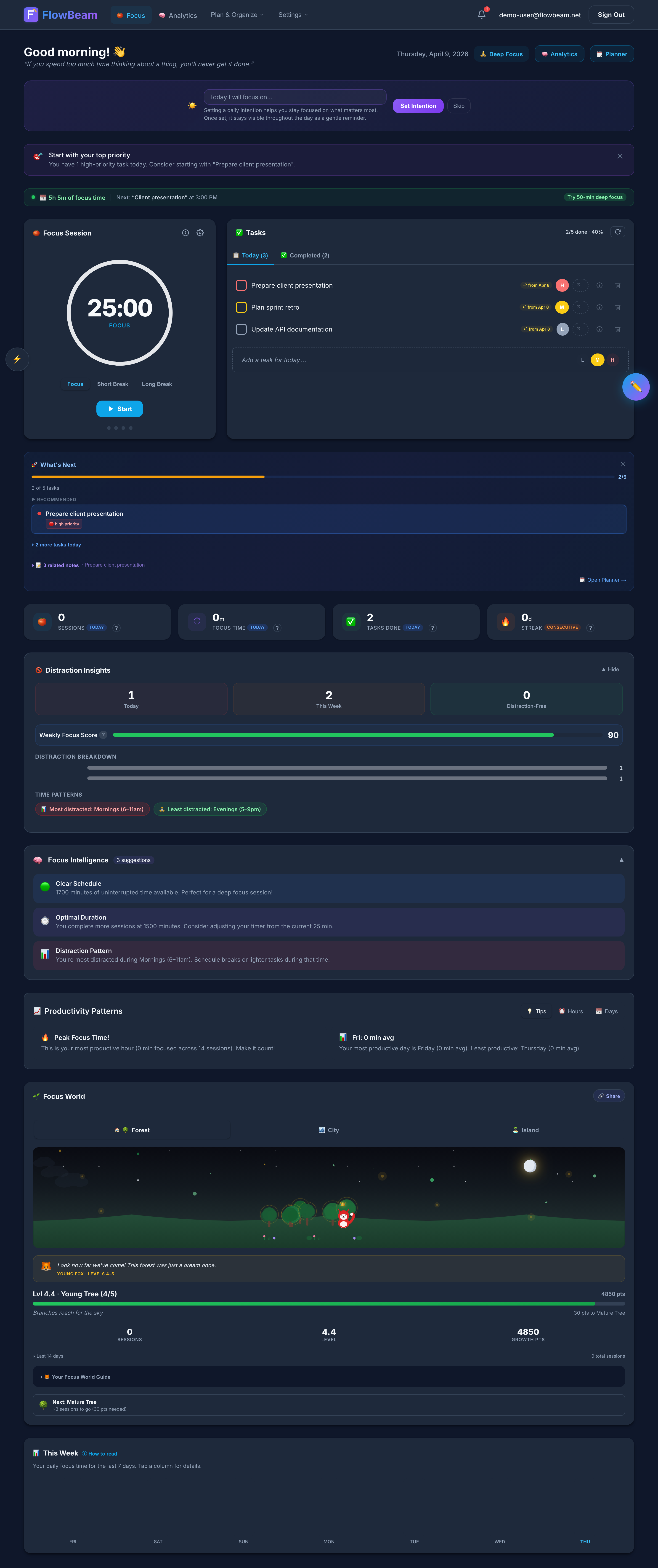
The Productivity Hub — your deep work command centre
Bookmark it. Pin the Productivity Hub to your browser favourites so you can reach it in one click. Reducing friction to start a session makes all the difference.
Set Your Intention (Pre-Focus Ritual)
Before the timer starts, FlowBeam asks you one powerful question: "What will you work on?" Pick a task from your list or type a quick intention. This tiny act of declaration dramatically improves focus quality — research shows that naming your target reduces mind-wandering by up to 40%.
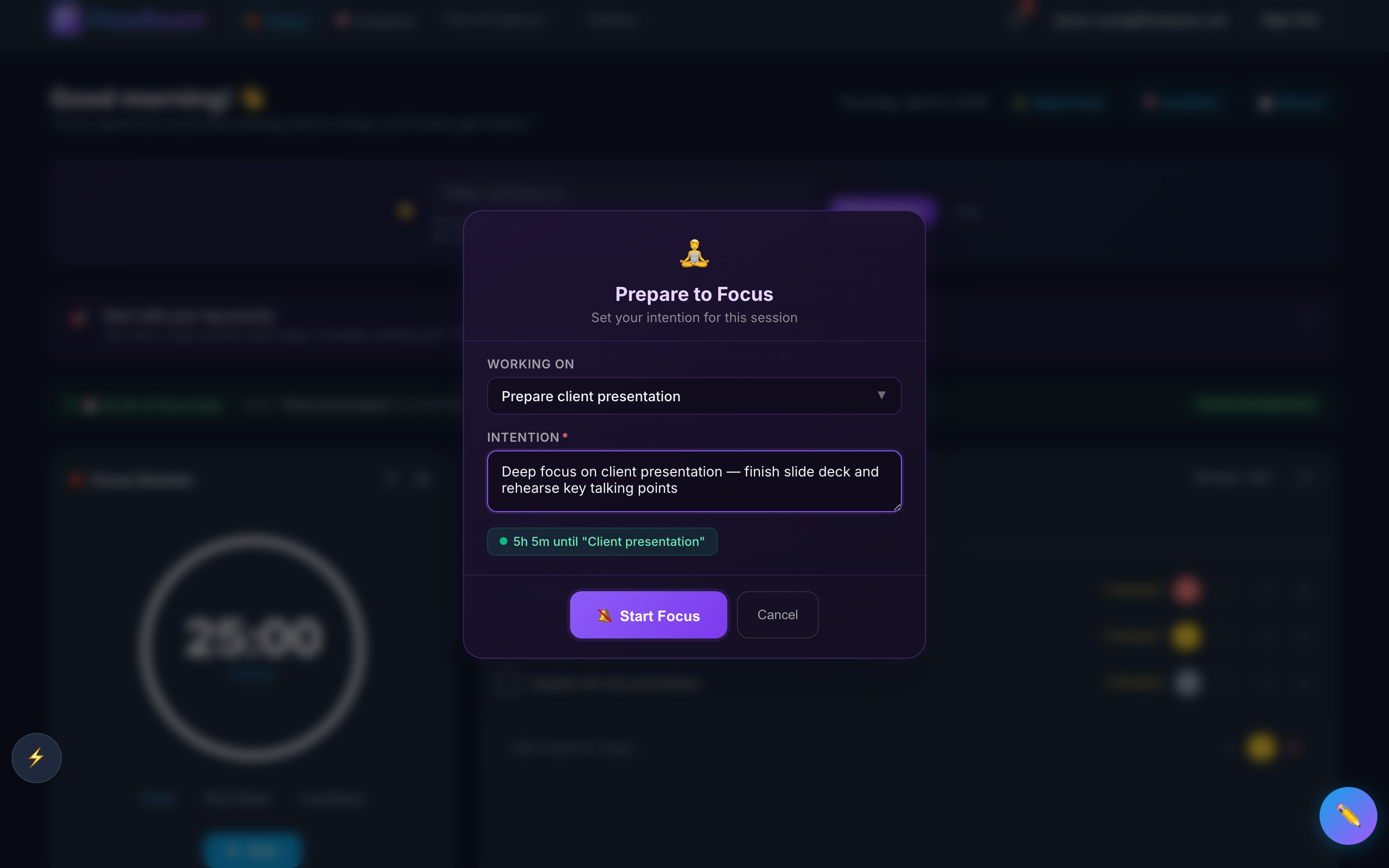
The Pre-Focus Ritual — set your intention before you begin
The science: Cal Newport's research on deep work shows that a "shutdown ritual" at the end and an intention ritual at the start create psychological boundaries that help your brain enter and exit deep focus mode cleanly.
Start a Focus Session
Hit play and the Pomodoro timer begins. The default rhythm is 25 minutes of focus followed by a 5-minute break — the classic Pomodoro Technique. You can customise the durations to match your natural focus span. During the session, optional ambient soundscapes help you stay in the zone.
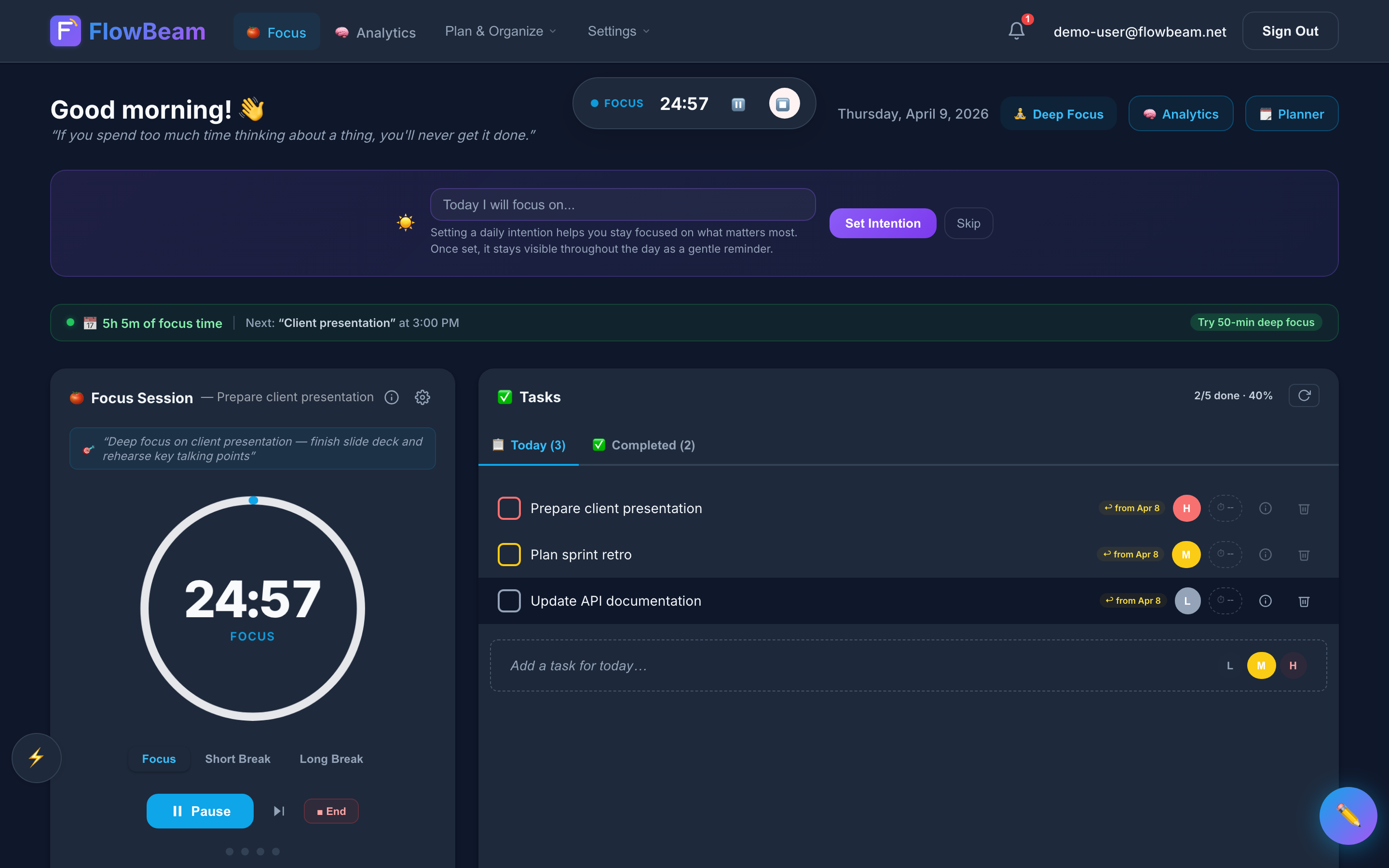
A focus session in progress — the timer keeps you on track
Deep Focus Mode: For maximum concentration, activate Deep Focus Mode — a full-screen immersive view that blocks UI distractions. FlowBeam gently nudges you back if you tab away.
Reflect After Each Session
When the timer completes, FlowBeam prompts a quick reflection. Rate your focus quality, note any distractions, and jot down what you accomplished. This takes 30 seconds but builds a data trail that powers your analytics later. Over time, you'll spot patterns — which times of day you focus best, which tasks drain you, and what conditions produce your best work.
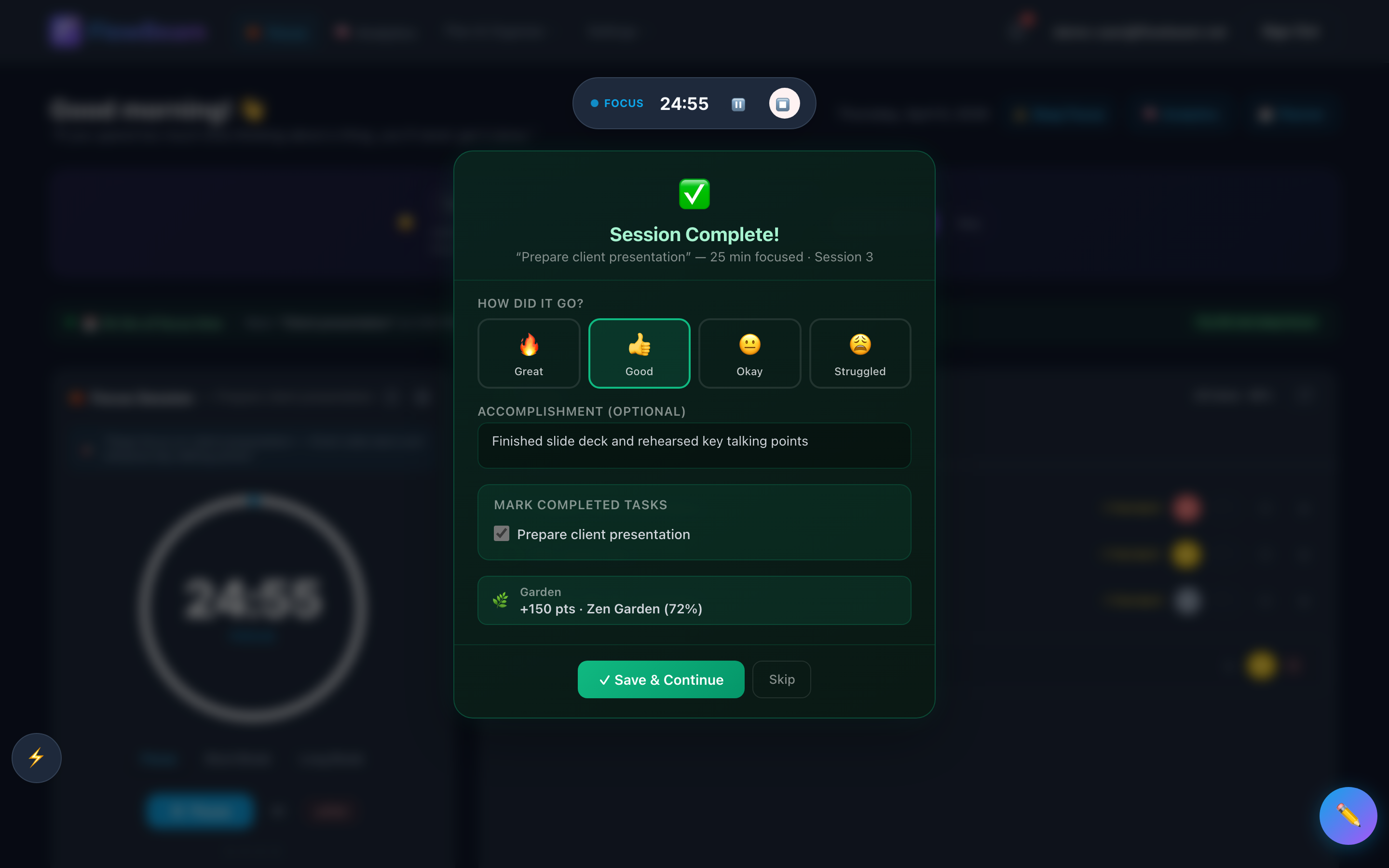
A quick reflection — 30 seconds that power your analytics
Watch Your Focus World Grow
Every completed session earns XP that grows your Focus World. The world visualises your consistency — plants grow, new elements appear, and the world evolves as you level up. It's a simple but surprisingly powerful motivator. Miss a day and you'll get a gentle decay warning to keep your streak alive.
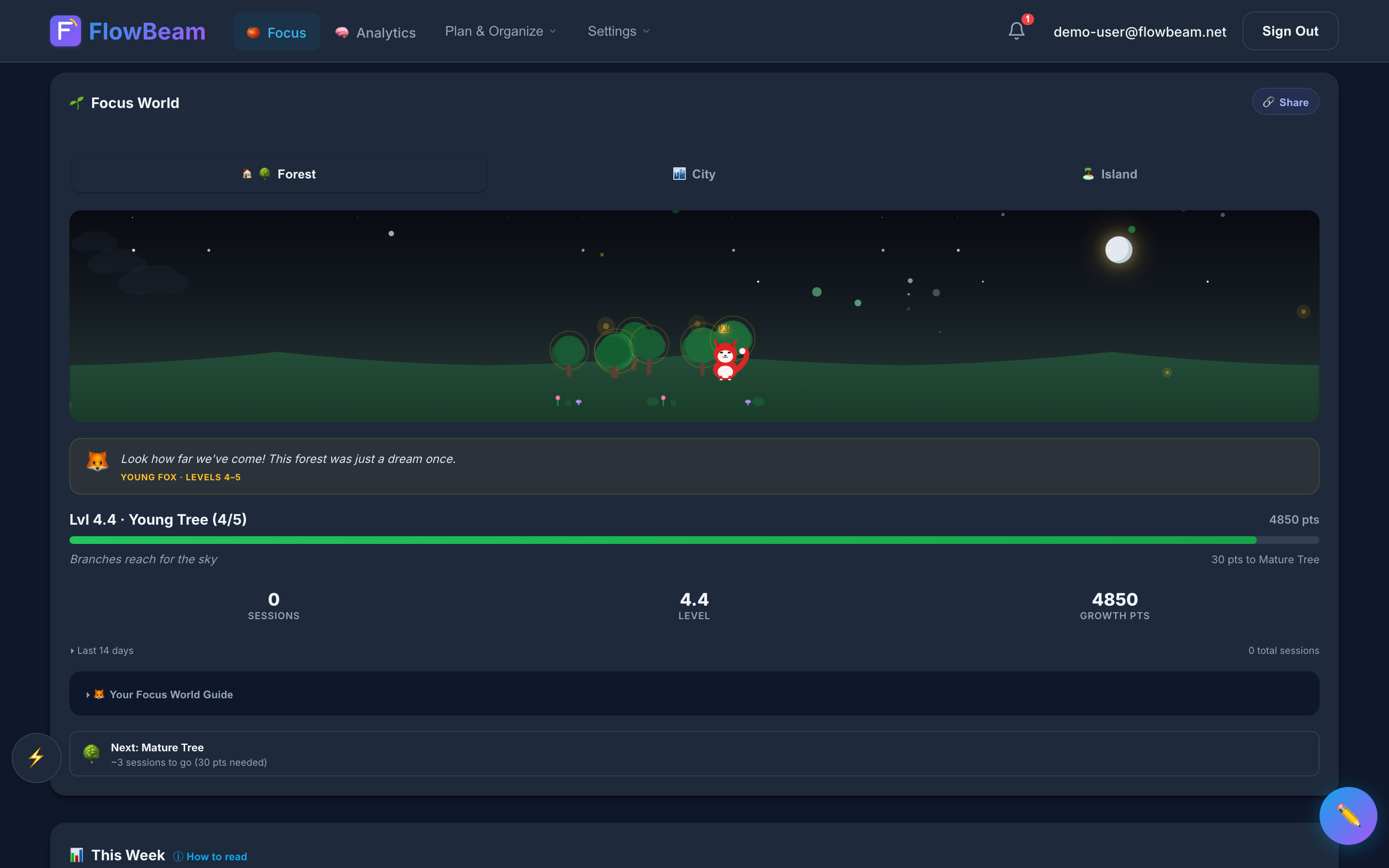
Your Focus World grows with every completed session
Unlock unlimited Focus World levels
Free users can reach level 15 with 3 Focus World themes — a great start. Pro users never hit a ceiling. Keep levelling up, unlock rare themes, and build a world that reflects months or years of consistent deep work.
Build and Protect Your Streak
Your streak counter is the simplest habit tracker there is — complete at least one focus session per day and the number goes up. The longer your streak, the more invested you become in maintaining it. FlowBeam shows your current streak, longest streak, and streak history so you can see your consistency at a glance.
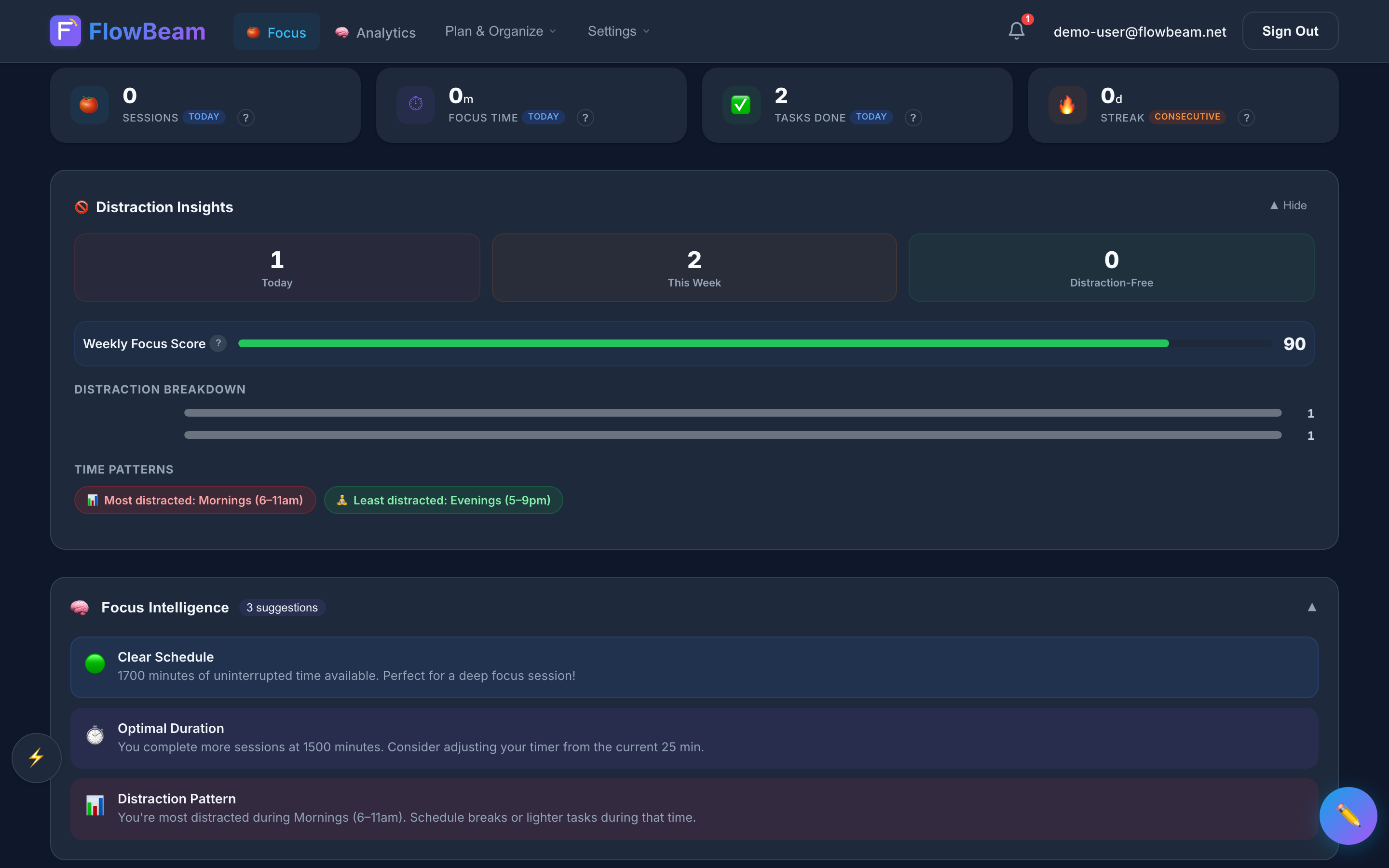
Streaks turn deep work from a goal into a daily habit
Don't break the chain. Jerry Seinfeld famously used a wall calendar to track his writing habit. FlowBeam's streak system is the digital version — visible, satisfying, and hard to ignore.
Review Your Weekly Analytics
At the end of each week, check your Deep Work Analytics. See focus minutes broken down by day, discover your peak productive hours on the heatmap, track distraction patterns, and compare this week against last week. This is where the reflections from Step 4 pay off — they power insights you can't get from a basic timer.
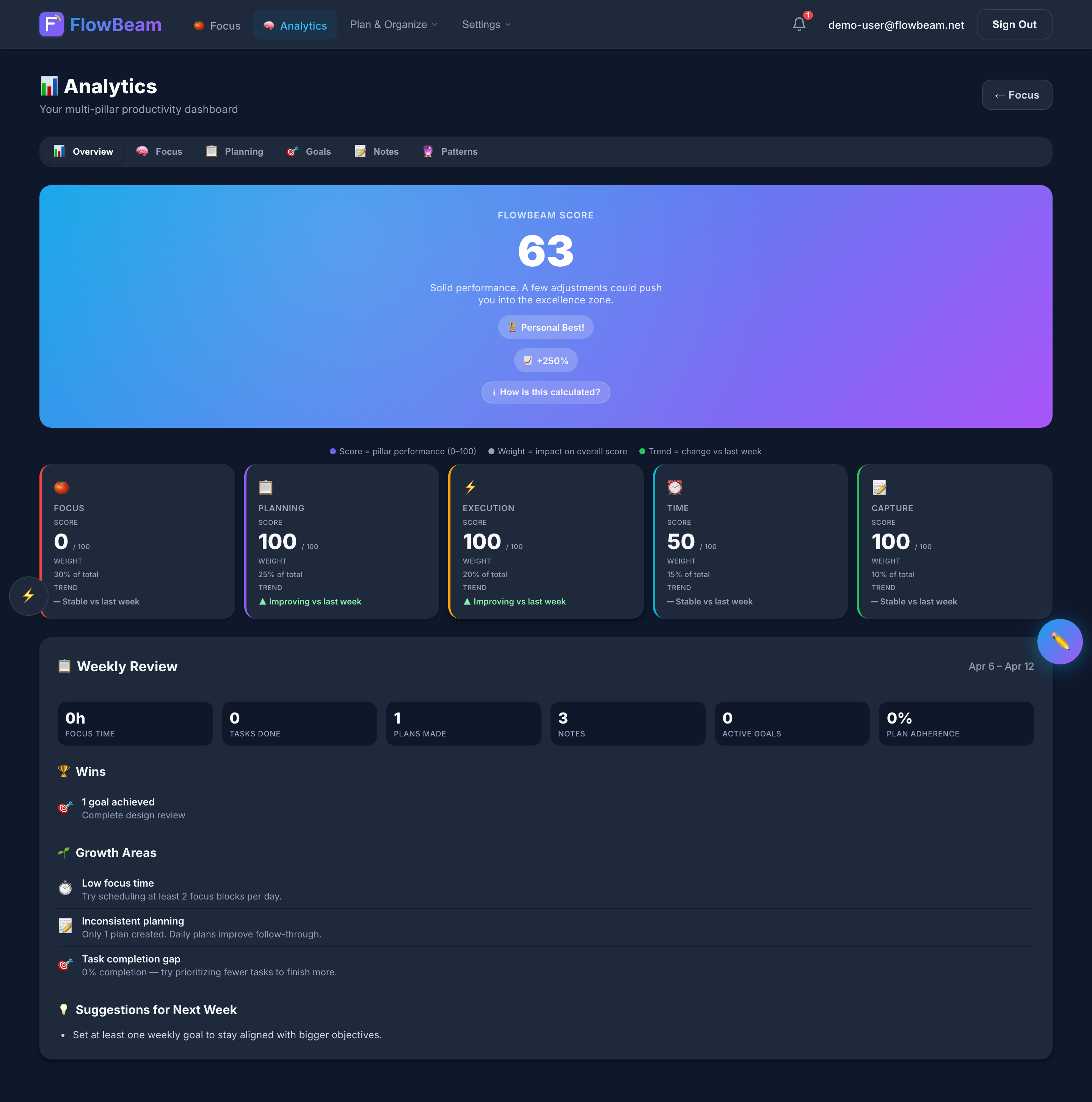
Deep Work Analytics — see where your focus actually goes
Unlock full analytics with unlimited history
Free users get 7 days of analytics history with basic stats — enough to get started. Pro unlocks your entire focus history, peak-hour heatmaps, distraction insights, and trend comparisons. The difference is between seeing a snapshot and seeing the full picture of your productivity journey.

Your Deep Work Loop
That's the complete workflow. Every day, you repeat the loop:
With each cycle, your Focus World grows, your streak extends, and your analytics get richer. FlowBeam turns deep work from something you aspire to into a visible, measurable, daily habit.
Start your first focus session
Sign up for free and complete your first Pomodoro in under two minutes. No credit card needed.
Sign Up Free →